
Home / Video Guide
Video Guide
Short videos that show how the Fireworks Bible works, one lane for each part of the app. The website is fireworksbible.com, said out loud as fireworks bible dot com. The app itself is at app.fireworksbible.com, and every video is also on youtube.com/@Fireworks_Bible.
Tap a video to watch it right here. Under the player there is a plain Watch on YouTube link. If something in a video looks wrong or confusing, tell us at support@fireworksbible.com. We are still building this app with the people who use it, and your feedback comes first.
Getting Started
 3:30What is the Fireworks Bible: a three minute tourThe three minute tour: the four tabs.
 3:00How to get the Fireworks Bible: the website, joining the beta, and the app on your home screenThe website at computer size and its four slides; Join the beta form (name, email, how you heard, agree, Request access, thanks).
 3:00How to sign in and choose a plan in the Fireworks BibleAccount button; email and Send code; the 6 digit or invite code; Send with my request; Sign in; Terms of Use (the complete terms opened).
 3:30An introduction to the Guide tab in the Fireworks BibleGuide home; search and results; retail or wholesale; all eight ways to browse and stacked filters; Favorites, By my score, Inventory.
 3:00An introduction to the Community tab in the Fireworks BibleCommunity's top buttons; Board (feed, filter by kind, Near me with distance, upcoming events, Notify me about, Submit).
 3:30An introduction to the Shop tab in the Fireworks BibleLists; start a store's list; add from a product page; a full list (seven lines, a couple of hundred dollars); quantities, unit or case.
 4:30An introduction to the Show Builder tab in the Fireworks BibleMy Shows; best on a computer (the rest on the web app view); New Show; positions with a fountain spot and an artillery spot; Browse Videos.
 3:00The Fireworks Bible on a computer: what's different, and why it's worth itSame account on a computer; why a computer is better for research, shows and shopping; the sidebar (the gold ring on the bar itself); split view.
 2:00Your account: plan, billing, signed-in devices, updates and signing outAccount button; plan block; See the full plan; Manage billing and Stripe's billing page (test mode demo); Signed in on and Refresh; Update needed.
Shorts (7)
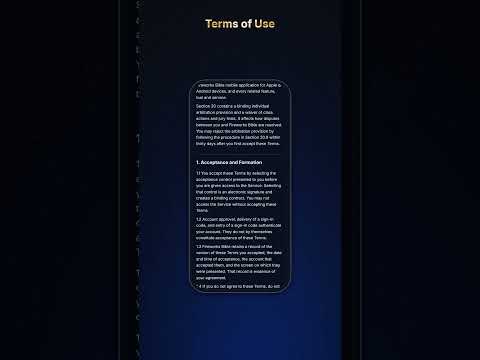 Under 1 minHow to sign in and choose a planHook: Here's how to get into the Fireworks Bible in under a minute. Then lines 3, 6, 7, 8 of GS3.
 Under 1 minHow to put the Fireworks Bible on your phone's home screenHook: Did you know the Fireworks Bible goes on your home screen like any other app? Then lines 14, 15, 16 of GS2.
 Under 1 minYour account in under a minuteHook: Need to sign out of every phone and computer at once? Here's how. Then lines 2, 5, 9 of GS9.
 Under 1 minHow to join the Fireworks Bible beta from the websiteHook: Want in on the Fireworks Bible beta? Here's how to ask in under a minute. Then lines 4, 5, 7 of GS2.
 Under 1 minThe Fireworks Bible on a computer: what's different from the phoneHook: Did you know the Fireworks Bible works on your computer too, with everything on one screen? Then lines 4, 6, 8 of GS8.
 Under 1 minWhat is the Fireworks Bible, in under a minuteHook: What is the Fireworks Bible? Here it is in under a minute. Then lines 2, 3, 12, 17 of GS1.
 Under 1 minFree versus the full planHook: What do you get free in the Fireworks Bible, and what's in the full plan? Then lines 9, 13 of GS3.
The Guide Tab
 1:44Find a firework and read its pricesSearch by name, brand or type; the retail, wholesale or both switch; result rows (brand, shots, best price); Best price boxes; Prices by store table.
 1:59Browse the Guide by type, brand, store, shots and durationBy type, By brand (brand filter box, sub-brands), By store (sort by price at that store), By shots, By duration; stacking filters.
 2:46The product page: real product and 3D videos, favorites, your scores and private notesWatch Product Video and Watch 3D Video (real playback); Add to a list; Best price; Prices by store.
 2:29Your inventory: what you own, barcode scans, importing an order or receiptOwn count and purchase details (price paid, unit or case, store, date); Inventory view; Scan +1.
 1:06Add a Firework that is not in the GuideNot in the guide? Add it: name, brand, price seen, unit or case, store, notes, Take Photo, Add Product.
The Shop Tab
 3:21Build and share a shopping list: quantities, cases, discounts, Word, Excel and PrintStart a store's list; No store yet; Add to a list from a product; add from inside the list (from the guide, not in the guide, scan to add); quantities.
 4:36Stores and the real cost: near you, a store page, pickup, shipping, sales tax, comparing listsStore directory: search, state, Near me with ZIP, distance, sort by distance, Favorites only.
 1:46After you buy: marking items purchased, what you paid, Demo NightMark purchased (moves to Purchased, adds to Own and purchase history); price paid; Build a Show from this list.
 4:28Three ways home: the local store, wholesale shipped, or the long driveOne order, three ways home: a local store, a wholesale order shipped, and a 302 mile drive; gas, time and shipping added to each list.
The Community Tab
 1:32The Community board: sales, demos and eventsBoard feed; filter by kind; Near me, distance, favorite stores only; Upcoming events; Notify me about (every store, favorites only, off).
 1:11Scores: scoring a firework, brands and storesMy score on a product; Your scores; Best scored and Most scored fireworks; Best scored stores; Top rated brands; Score the brands; score a store.
 1:09Ideas: suggest one and voteIdeas sort (Top, Trending, New, Done, Following); category filter; search before you post; vote; open an idea, comment and reply, Follow, Report.
 1:12The Knowledge library: laws, safety, types and effectsFireworks laws by state; The safety guide; Firework types; Effects explained; Planning a show; The whole library; Open full screen.
The Build a Show Tab
Videos for this lane are on the way. When they go up they appear here. You can also watch on the channel.
The Desktop Tab
 1:13Compare fireworks side by side on a computerSplit view: results on the left, product on the right; click through results; the whole price table; videos; favorites and notes.
 0:48Drag an order PDF into the Fireworks BibleDrag an order or receipt PDF onto the Fireworks Bible on a computer, check each match, and have it land in your inventory and purchase history.
 0:48Plan your shopping at your deskShop at computer size: lists and stores in rows; price at another store; compare several lists; Download Excel and print.